Accessibility Basics
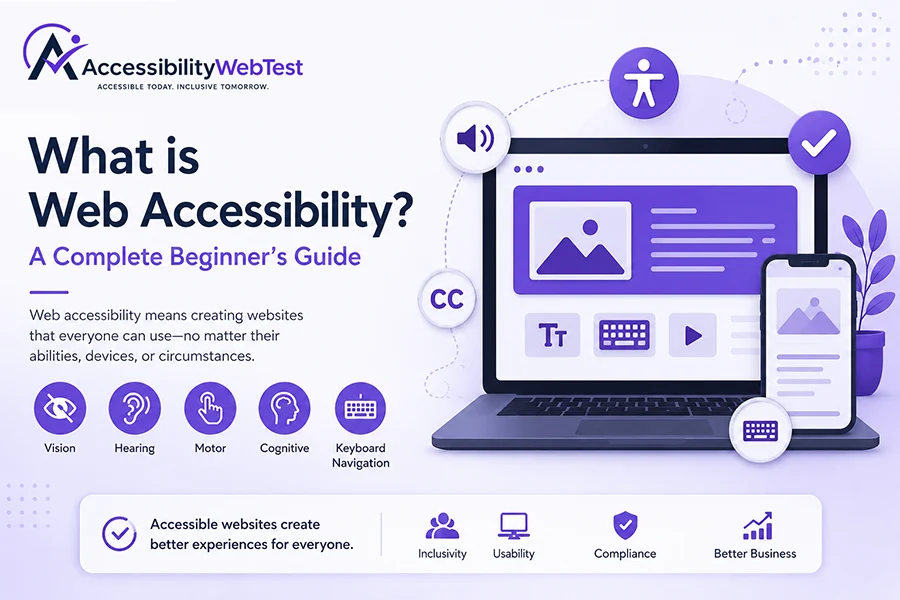
What is Web Accessibility? A Complete Beginner's Guide
The internet has become a part of almost every aspect of modern life. We shop online, book appointments, manage bank accounts, attend virtual meetings, complete education, and access government services—all through websites and mobile applications.
Now imagine trying to use one of these websites and discovering that you can't read the text because the colors blend together, complete a form because it doesn't work with your keyboard, or understand important information because your screen reader can't identify the page correctly.
For millions of people around the world, these aren't rare situations—they're everyday challenges.
This is exactly why web accessibility matters.
Web accessibility ensures that websites, web applications, and digital content can be used by everyone, regardless of their abilities, disabilities, age, or the technology they use.
Whether you're a business owner, developer, designer, marketer, product manager, or simply curious about accessibility, this guide will help you understand what web accessibility is, why it's important, and how it benefits both users and businesses.
Table of Contents
What is Web Accessibility?
Why Does Web Accessibility Matter?
Who Benefits from Web Accessibility?
Types of Disabilities Considered in Accessibility
Common Accessibility Barriers
The Four Principles of Accessibility (POUR)
Understanding WCAG Guidelines
Benefits of Web Accessibility for Businesses
Accessibility Myths
How to Get Started
Frequently Asked Questions
Final Thoughts
What is Web Accessibility?
Web accessibility is the process of designing, developing, and maintaining websites and mobile applications so that everyone can use them effectively, including people with disabilities.
An accessible website enables users to:
Read content easily.
Navigate without a mouse.
Understand information regardless of how it is presented.
Complete online forms successfully.
Watch videos with captions.
Listen to content through screen readers.
Zoom pages without losing usability.
Interact with websites using assistive technologies.
In simple words, web accessibility removes digital barriers.
Think about a shopping mall with ramps, elevators, automatic doors, and accessible restrooms. These features make the building usable for more people without taking anything away from others.
Web accessibility applies the same principle to websites. Instead of removing physical barriers, it removes digital barriers so everyone has equal access to online information and services.
Why Does Web Accessibility Matter?
Many people believe accessibility is only important for a small group of users. In reality, accessibility improves the experience for everyone.
Consider these everyday situations:
Someone using a mobile phone in bright sunlight benefits from better color contrast.
A commuter watching videos without headphones relies on captions.
A user recovering from a broken arm may temporarily use only a keyboard.
Older adults often appreciate larger text and clearer layouts.
People with slow internet connections benefit from lightweight, semantic websites.
Accessibility isn't about designing for a minority of users.
It's about creating experiences that work better for everyone.
An accessible website is often easier to navigate, easier to understand, and more enjoyable to use.
Who Benefits from Web Accessibility?
Accessibility helps a much broader audience than many people realize.
People with Visual Disabilities
People who are blind, have low vision, or experience color vision deficiencies often rely on assistive technologies such as screen readers, screen magnifiers, or high-contrast settings.
Accessible websites support these users by providing meaningful image descriptions, sufficient color contrast, logical heading structures, and scalable text.
People with Hearing Disabilities
Users who are deaf or hard of hearing benefit from captions, transcripts, and visual alternatives to audio content.
These features also help users in noisy environments or those who prefer reading instead of listening.
People with Motor Disabilities
Some users cannot operate a traditional mouse because of arthritis, paralysis, tremors, repetitive strain injuries, or temporary injuries.
Accessible websites ensure every feature can be operated using a keyboard or other assistive input devices.
People with Cognitive Disabilities
Individuals with dyslexia, ADHD, autism, memory challenges, or learning disabilities benefit from:
Clear language
Consistent navigation
Logical page layouts
Helpful error messages
Predictable interactions
Simple instructions
These improvements make websites easier to understand for all visitors.
Common Accessibility Barriers
Unfortunately, many websites unintentionally create obstacles for users.
Some common issues include:
Images without descriptive alternative text
Poor color contrast between text and backgrounds
Missing labels on form fields
Keyboard traps
Videos without captions
Incorrect heading hierarchy
Tiny clickable areas
Auto-playing media
Poor focus indicators
Unclear error messages
Most of these problems can be prevented by considering accessibility throughout the design and development process.
The Four Principles of Accessibility (POUR)
The internationally recognized Web Content Accessibility Guidelines (WCAG) are built on four key principles known as POUR.
Perceivable
Users must be able to perceive the information presented.
Examples include:
Alternative text for images
Captions for videos
Sufficient color contrast
Content that adapts when zoomed
Operable
Users must be able to operate the interface.
This means:
Full keyboard navigation
Visible keyboard focus
No keyboard traps
Enough time to complete tasks
Understandable
Content and navigation should be clear and predictable.
Examples include:
Consistent menus
Plain language
Helpful instructions
Clear validation messages
Robust
Content should work reliably across browsers, devices, and assistive technologies.
Using semantic HTML and following modern web standards helps ensure long-term compatibility.
Understanding WCAG
The Web Content Accessibility Guidelines (WCAG) are the globally recognized standard for digital accessibility.
They provide recommendations for making websites and applications more accessible.
Current versions include:
WCAG 2.0
WCAG 2.1
WCAG 2.2
Most organizations aim to meet WCAG 2.2 Level AA, which is widely accepted by businesses, governments, and institutions.
Why Accessibility Matters for Businesses
Accessibility is not just about compliance—it also creates measurable business value.
Organizations that invest in accessibility often experience:
Better user experiences
Improved customer satisfaction
Stronger brand reputation
Increased audience reach
Better search engine optimization (SEO)
Lower support costs
Higher conversion rates
Reduced legal risk
Greater customer trust
Making your website accessible is an investment in both your users and your business.
Common Myths About Accessibility
Myth 1: Accessibility only helps people with disabilities.
Reality: Accessibility benefits everyone.
Myth 2: Accessibility is only for government websites.
Reality: Every organization with an online presence can benefit from accessibility.
Myth 3: Accessibility hurts design.
Reality: Great accessibility and beautiful design can work together.
Myth 4: Automated tools can find every issue.
Reality: Automated testing is valuable, but manual testing and real-user evaluation are essential for identifying many accessibility issues.
How to Get Started
If you're beginning your accessibility journey, start with these practical steps:
Learn the basics of WCAG.
Build with semantic HTML.
Write meaningful alternative text for images.
Ensure sufficient color contrast.
Make every feature keyboard accessible.
Add captions and transcripts where needed.
Test with automated accessibility tools.
Conduct manual accessibility testing.
Test with assistive technologies.
Schedule regular accessibility audits.
Accessibility is an ongoing process rather than a one-time task.
Frequently Asked Questions
What is web accessibility?
Web accessibility is the practice of making websites and digital content usable for everyone, including people with disabilities.
Why is web accessibility important?
It improves usability, expands your audience, supports legal compliance, enhances SEO, and creates a better experience for all users.
Is accessibility only for people with disabilities?
No. Accessibility benefits people with permanent, temporary, and situational limitations, as well as users on different devices and in different environments.
Does accessibility improve SEO?
Many accessibility best practices—such as semantic HTML, descriptive headings, meaningful alternative text, and logical page structure—also help search engines better understand your content.
How do I know if my website is accessible?
The best approach combines automated scans with manual testing and expert accessibility audits to identify issues that automated tools may miss.
Final Thoughts
Accessibility is about ensuring everyone can participate in the digital world with confidence and independence.
By making your website more accessible, you're not only helping users with disabilities—you are improving usability for every visitor, strengthening your brand, and creating a better digital experience.
Whether you're launching a new website or improving an existing one, accessibility should be part of every stage of design, development, and ongoing maintenance.
The earlier you embrace accessibility, the easier it becomes to build digital experiences that are inclusive, user-friendly, and future-ready.
Need Professional Accessibility Testing?
At AccessibilityWebTest, we help organizations create inclusive digital experiences through comprehensive accessibility testing and consulting.
Our services include:
Website Accessibility Testing
Mobile Accessibility Testing
WCAG Compliance Testing
Section 508 Testing
GIGW 3.0 Testing
Accessibility Audits
Manual Accessibility Testing
Accessibility Consulting
If you'd like to understand how accessible your website or application is, our team can help you identify issues, prioritize fixes, and move toward compliance with confidence.