
WCAG Guidelines
WCAG 2.2 Explained: Everything Businesses Need to Know
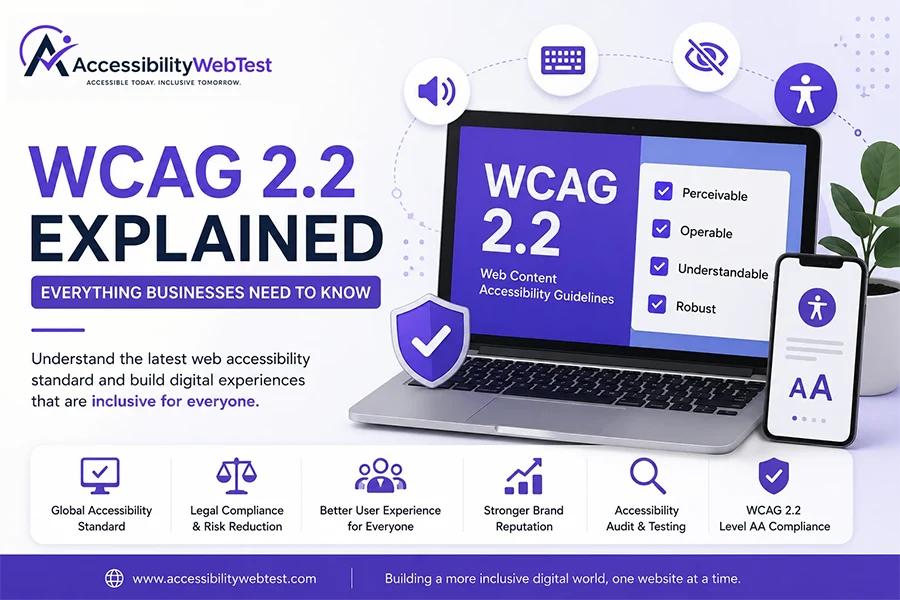
If you've started learning about web accessibility, you've probably come across the term WCAG. It's mentioned in accessibility audits, legal requirements, procurement documents, government regulations, and digital accessibility discussions worldwide.
But what exactly is WCAG, and why does it matter to your business?
Many organizations assume that WCAG is just another technical standard meant only for developers. In reality, it's much more than that. WCAG provides a globally recognized framework for creating websites, web applications, and digital experiences that are accessible to everyone—including people with disabilities.
Whether you're launching a new website, redesigning an existing one, or ensuring compliance with accessibility regulations, understanding WCAG is essential.
In this guide, we'll explain WCAG 2.2 in simple language, explore its core principles, discuss what's new in the latest version, and explain how your organization can move toward compliance.
Table of Contents
What is WCAG?
Why Was WCAG Created?
Who Develops WCAG?
Understanding the Four Principles (POUR)
What Are the Three Conformance Levels?
What's New in WCAG 2.2?
WCAG 2.1 vs WCAG 2.2
Why Businesses Should Care About WCAG
Common WCAG Compliance Mistakes
How to Achieve WCAG Compliance
Frequently Asked Questions
Final Thoughts
What is WCAG?
WCAG, or Web Content Accessibility Guidelines, is the internationally recognized standard for making websites, web applications, and digital content accessible to people with disabilities.
The guidelines were developed by the World Wide Web Consortium (W3C) through its Web Accessibility Initiative (WAI). They provide practical recommendations that help organizations design and develop digital experiences that are easier to perceive, operate, understand, and interact with.
Rather than prescribing a specific design style, WCAG focuses on outcomes. It encourages websites to work effectively for users with a wide range of abilities, technologies, and browsing environments.
Think of WCAG as a roadmap. It helps businesses identify accessibility barriers and provides clear guidance for removing them.
Why Was WCAG Created?
The internet should be accessible to everyone, regardless of ability. However, many websites unintentionally create barriers by relying on poor color contrast, inaccessible forms, keyboard traps, missing image descriptions, or multimedia without captions.
WCAG was created to address these challenges by offering a consistent set of accessibility guidelines that organizations around the world can follow.
Today, WCAG is referenced by many accessibility laws, procurement requirements, and organizational policies, making it the de facto global standard for digital accessibility.
Who Develops WCAG?
WCAG is developed and maintained by the Web Accessibility Initiative (WAI), part of the World Wide Web Consortium (W3C)—the international organization responsible for many of the standards that keep the web interoperable.
The guidelines are created through collaboration among accessibility experts, developers, designers, researchers, disability advocates, industry representatives, and government organizations from around the world. This collaborative approach helps ensure that WCAG reflects real-world accessibility needs and evolves alongside technology.
Understanding the Four Principles (POUR)
Every WCAG success criterion is built upon four core principles known as POUR:
Perceivable
Information and user interface components must be presented in ways that users can perceive. This includes providing text alternatives for images, captions for videos, sufficient color contrast, and content that remains usable when zoomed.
Operable
Users must be able to navigate and interact with the interface using different input methods. Websites should support full keyboard navigation, provide visible focus indicators, and avoid interactions that require precise mouse movements.
Understandable
Content should be clear, readable, and predictable. Navigation should remain consistent, forms should provide meaningful instructions, and error messages should help users recover from mistakes.
Robust
Content should work reliably across browsers, devices, and assistive technologies such as screen readers. Using semantic HTML and following web standards improves long-term compatibility.
These four principles form the foundation of every accessibility requirement within WCAG.
What Are the Three Conformance Levels?
WCAG defines three levels of conformance that represent increasing levels of accessibility.
Level A
This is the minimum level of accessibility. It addresses the most fundamental barriers that would otherwise prevent some users from accessing content.
Level AA
Level AA is the standard that most organizations aim to achieve. It builds upon Level A and introduces additional requirements such as improved color contrast, consistent navigation, and more accessible forms. Many organizations, governments, and procurement processes reference WCAG 2.2 Level AA as the expected level of compliance.
Level AAA
Level AAA represents the highest level of accessibility and includes more demanding success criteria. While valuable, it is not always practical or achievable for every type of content or website.
What's New in WCAG 2.2?
WCAG 2.2 builds upon previous versions by introducing additional success criteria that improve accessibility for users with cognitive disabilities, low vision, and limited motor abilities.
Some of the key additions include:
Better support for accessible authentication.
Improved focus visibility requirements.
Minimum target sizes for interactive controls.
Easier drag-and-drop alternatives.
Clearer help mechanisms.
Better support for users with cognitive disabilities.
These updates encourage websites to provide more intuitive, inclusive, and user-friendly experiences.
Why WCAG Matters for Businesses
Meeting WCAG is about much more than checking a compliance box.
Organizations that prioritize accessibility often experience:
Better user experiences
Improved customer satisfaction
Increased audience reach
Stronger brand reputation
Better SEO
Lower support costs
Higher conversion rates
Reduced legal and compliance risk
Accessibility is increasingly viewed as a business advantage rather than just a technical requirement.
Common WCAG Compliance Mistakes
Even well-designed websites can have accessibility issues. Some of the most common include:
Images without meaningful alternative text.
Poor color contrast.
Missing form labels.
Keyboard traps.
Inconsistent heading structure.
Videos without captions.
Missing focus indicators.
Unclear error messages.
Non-descriptive link text.
Improper use of ARIA attributes.
Many of these issues are difficult to identify through automated scanning alone, which is why manual accessibility testing remains essential.
How to Achieve WCAG Compliance
Improving accessibility is an ongoing process. A practical approach includes:
Perform an accessibility audit.
Identify barriers against WCAG 2.2 Level AA.
Prioritize issues based on severity and user impact.
Fix accessibility problems using best practices.
Conduct manual testing with assistive technologies.
Retest after remediation.
Integrate accessibility into your development workflow to maintain compliance over time.
Frequently Asked Questions
What does WCAG stand for?
WCAG stands for Web Content Accessibility Guidelines.
What is the latest version of WCAG?
The latest published version is WCAG 2.2.
Which WCAG level should businesses target?
For most organizations, WCAG 2.2 Level AA is the recommended target because it is widely referenced in procurement requirements and accessibility policies.
Is WCAG legally required?
Many laws and regulations reference WCAG as the technical standard for demonstrating digital accessibility. The specific legal requirements depend on the country or region.
Can automated tools verify full WCAG compliance?
No. Automated tools are valuable for identifying many issues, but they cannot detect every accessibility problem. Manual testing with assistive technologies and expert evaluation is necessary for a comprehensive assessment.
Final Thoughts
WCAG 2.2 provides a practical framework for building websites and applications that are more inclusive, usable, and accessible to everyone.
Rather than viewing accessibility as a one-time project, organizations should treat it as an ongoing commitment. Incorporating accessibility into design, development, testing, and maintenance helps create better digital experiences while supporting business goals and reducing accessibility risks.
Need Help Achieving WCAG 2.2 Compliance?
At AccessibilityWebTest, we help organizations improve digital accessibility through comprehensive audits, manual accessibility testing, mobile accessibility testing, WCAG compliance assessments, remediation guidance, and ongoing consulting.
Whether you're starting your accessibility journey or preparing for a compliance review, our team can help you identify issues, prioritize fixes, and move confidently toward WCAG 2.2 Level AA compliance.